OS Updates on the Corporate Linux Desktop
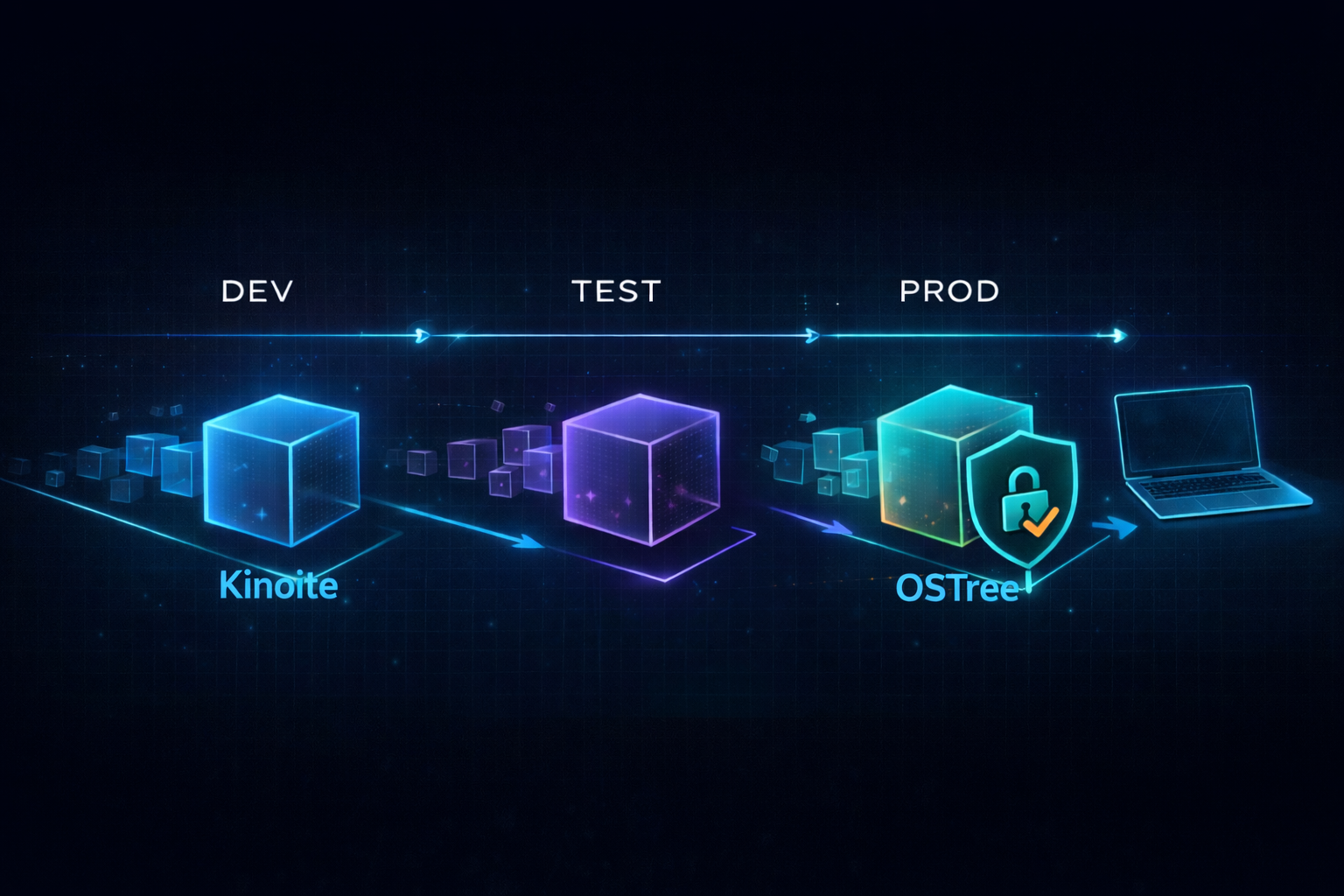
Updating systems should be simple, right? For your average home user or small setup, it usually is. But once you’re managing a medium to large environment, things start getting a lot more complicated. I used to work at a company with around 50 or 60 endpoints, and one day the Windows admin sent out a company-wide email telling everyone to update their machines ASAP.
Now, I know Windows updates can be hit or miss, and while most go fine, I wasn’t about to bet the whole business on it. I told the critical departments to hold off until the end of the day, just in case. At the time, we didn’t have any kind of patch management or testing process in place—just cross your fingers and hope. Luckily, the update went through without a hitch. But honestly, that was more luck than good planning.
That experience stuck with me. It made it clear how important it is to have a solid update strategy, especially one that lets you test first, deploy with confidence, and roll back if something goes wrong.
In my last post Flatpak repository, I talked about setting up a local Flatpak repo for Kinoite. That setup let us test and approve apps before making them available to users. We used OSTree under the hood for that, and now we’re using the same tech to handle system updates by storing and serving full OS images for Kinoite systems.
Table of Contents
- What Is OSTree?
- Updating with rpm-ostree
- Setting Up the OSTree Repo
- SELinux Considerations
- Composing an Image
- Moving from Dev to Production
- Deploying Images
- Pointing Clients to Your Custom Repo
- Wrapping It Up
What Is OSTree?
OSTree is basically a Git-like version control system for operating system binaries. Instead of tracking source code, it manages full filesystem trees. It allows systems to switch between entire OS versions (called commits) safely and efficiently. Each commit is read-only and versioned, which makes rollback possible and updates less risky.
It’s not a package manager on its own—it works underneath rpm-ostree, which combines OSTree’s image management with the familiar RPM packaging system. This combo lets you treat the OS like a single versioned unit, rather than a collection of individual packages.
In this setup, OSTree is the backbone that stores and serves the OS images, making reliable updates and rollbacks possible.
Updating with rpm-ostree
On traditional RHEL-based systems, tools like yum or dnf are used to download and apply updates. These tools modify the existing installation directly, and if something breaks, troubleshooting often involves rolling back individual packages or dealing with partial failures.
Kinoite, through rpm-ostree, takes a different approach. Instead of applying updates piecemeal, a new, complete OS image is downloaded and activated upon reboot. The previous image remains available, enabling a quick rollback if issues arise. This image-based update model provides a clean, reliable upgrade path with far fewer chances of mid-update problems.
Setting Up the OSTree Repo
A previously configured Flatpak repository already established the foundation for an OSTree repo. That same structure is now leveraged to store and serve Kinoite images. Existing HTTPS configurations, including TLS certificates, can be reused. The only additional package required is rpm-ostree.
To organize the system update pipeline, the following directory structure is recommended:
1
2
3
/srv/ostree/rpm-ostree/
├── dev/
└── prod/
Both development and production repositories are initialized using the ostree init command. This prepares the storage for image composition and deployment.
SELinux Considerations
When serving OS images via a web server, proper SELinux configuration is essential. SELinux is a mandatory access control system built into RHEL and related distributions. Apache, the web server in this setup, must be allowed to read files but should be restricted from making any changes.
By applying the correct SELinux context, the server is prevented from:
- ❌ Writing to files
- ❌ Creating or deleting files
- ❌ Modifying content
- ❌ Executing files
- ❌ Changing ownership or permissions
This ensures that OS images remain protected and immutable, even while being accessible to endpoint devices for updates.
Composing an Image
With the infrastructure in place, Kinoite images can now be built.
Start by creating two configuration files:
/etc/rpm-ostree/treefiles/kinoite-dev.json/etc/rpm-ostree/treefiles/kinoite-prod.json
Example:
1
2
3
4
5
6
7
8
9
10
11
12
13
14
15
16
17
18
19
20
21
22
23
24
25
26
27
28
29
30
31
{
  "ref": "fedora/x86_64/kinoite/dev",
  "repos": [
    "fedora",
    "fedora-updates"
  ],
  "selinux": true,
  "boot-location": "new",
  "tmp-is-dir": true,
  "packages": [
    "fedora-release-kinoite",
    "kernel",
    "systemd",
    "rpm-ostree",
    "plasma-desktop",
    "plasma-workspace",
    "sddm",
    "NetworkManager",
    "firewalld",
    "vim-enhanced",
    "git",
    "htop"
  ],
  "exclude-packages": [
    "PackageKit"
  ],
  "postprocess": [
    "ln -sf /usr/lib/systemd/system/graphical.target /etc/systemd/system/default.target",
    "systemctl enable sddm.service"
  ]
}
These files define the core packages and configurations included in each image. Use the rpm-ostree compose tree command to:
- ✅ Generate the filesystem tree
- ✅ Build the full OS image
- ✅ Create an OSTree commit (a versioned snapshot)
Finally, update the repo summary with ostree summary -u to make the new image available to clients. The dev image can be tested internally before moving it to production.
Moving from Dev to Production
Once you’ve composed a new image in the dev repo and tested it for a week or so, you’ll want to move it to production so the rest of the organization can get it.
The promotion process is pretty simple. You’re basically copying the tested commit from the dev repo to the prod repo:
1
2
3
4
5
6
sudo ostree pull-local \
  /srv/ostree/rpm-ostree/dev \
  fedora/x86_64/kinoite/dev \
  --repo=/srv/ostree/rpm-ostree/prod

sudo ostree summary -u --repo=/srv/ostree/rpm-ostree/prod
What this does is pull the commit from dev into prod without re-downloading or re-composing anything. It’s efficient and safe—you’re deploying the exact image you already tested, not building a new one that might differ.
If you’ve automated this with Ansible (which I’d recommend), you can just run a playbook instead:
1
ansible-playbook -i inventory/hosts.yml playbooks/promote-to-prod.yml
Either way, once the prod repo is updated, any machines pointing to it will see the new image on their next upgrade check. You control the rollout—users don’t get updates until you’re ready.
Deploying Images
Once the repo is initialized and secured, the next step is to make OS images accessible to user devices. If HTTPS has already been configured for Flatpak, the same setup can be extended here.
Apache is configured to expose the following URLs:
https://kinoite.sebostech.local:8443/repo/kinoite/dev/https://kinoite.sebostech.local:8443/repo/kinoite/prod/
No additional firewall adjustments are necessary, keeping deployment straightforward.
Pointing Clients to Your Custom Repo
Now that the repo is up and running, you need to tell your Kinoite machines to actually use it. By default, they’re still pulling updates from Fedora’s official servers. Getting them to switch over is pretty straightforward.
On each Kinoite machine, you’ll add your custom repo as a new remote and then rebase to it:
1
2
3
4
5
sudo ostree remote add --no-gpg-verify kinoite-prod \
  https://kinoite.sebostech.local:8443/repo/kinoite/prod

sudo rpm-ostree rebase kinoite-prod:fedora/x86_64/kinoite/stable
sudo reboot
The --no-gpg-verify flag is there because we’re using self-signed certificates. In a production environment, you’d want to set up proper GPG signing and distribute the public key, but for an internal setup, this works fine.
After the reboot, the machine is running your custom image. From that point on, whenever you run rpm-ostree upgrade, it checks your repo instead of Fedora’s. That’s it—now you’re in full control of what goes out to users.
Wrapping It Up
Setting up an rpm-ostree infrastructure like this might take a little effort at the start, but it brings major long-term benefits. With Kinoite as a standardized desktop, updates become predictable, testable, and easy to roll out. The dev/prod split ensures updates can be verified before reaching end users, minimizing disruptions and surprises.
Since all updates are served locally, there’s no dependency on external internet access—ideal for secure or bandwidth-limited environments. And in the rare event something goes wrong, the rollback functionality lets users return to the previous working state in just a reboot, dramatically reducing downtime.
This setup brings stability, control, and peace of mind—making system updates less of a gamble and more of a routine operation.
What’s Next
Over the next 3-6 months, I plan to build out this environment and document the process through a series of articles covering:
- Article 1: Introduction - Why this project matters and what Linux can offer businesses
- Article 2: Proxmox Virtualization Best Practices - Setting up a robust virtualization foundation
- Article 3: Making Linux Work as a Corporate Desktop
- Article 4: OS Updates on the Corporate Linux Desktop - This article
- Article 5: Enterprise Desktop Update Lifecycle with Kinoite
- Article 6: Bringing Prometheus Monitoring to the Linux Corporate Desktop
- Articles 7-12: SMB Infrastructure Planning, Ansible Automation, Core Services (AD/File/Print), Desktop Environment, and Security Hardening
My goals are to:
- Help business owners understand that there are viable alternatives for securing their systems
- Highlight what Linux-based systems are capable of in real-world business environments
- Provide practical tools, configurations, and guidance for users who are new to Linux as well as experienced IT professionals
- Continue developing my own skills in Linux-based security and infrastructure design
Call to Action
Whether you’re evaluating alternatives to expensive licensing, building your first Linux infrastructure, or simply curious about enterprise security on open-source platforms—I’d love to hear from you.
If you are a business owner, system administrator, or IT professional interested in improving security without relying solely on expensive licensing and third-party tools, I invite you to follow along. Experiment with these ideas, ask questions, challenge assumptions, and share your experiences. Together, we can explore what a secure, Linux-based business environment can look like in practice.