Controlling Software on the Corporate Linux Desktop
Earlier in my career, I worked for a company that performed full software audits across corporate desktop environments. These audits were part of SOC compliance, and we would usually receive an email a few weeks in advance letting us know the review was coming. On paper, everything sounded reasonable. In practice, it often caused a lot of last-minute scrambling.
As part of a development team, we regularly relied on software that technically fell outside the company’s approved list but was still required to do our jobs. When audit time came around, that software would be temporarily removed, only to be reinstalled once the review was complete. It checked the compliance box, but it didn’t really solve the underlying problem.
Table of Contents
- From Audit Panic to Modern Controls
- Why Flatpak Fits the Corporate Desktop
- Flatpak and Local Repositories
- Understanding a Flatpak Repository
- Creating a Flatpak Repository
- Web Access with Apache and HTTPS
- SELinux Considerations
- Firewall Configuration
- Client-Side Configuration
Software auditing and control have come a long way since those days, but the core concern hasn’t changed. When someone downloads software, how do you know it came from the correct site, is the right version, and hasn’t been modified along the way?
From Audit Panic to Modern Controls
In the previous article, we talked about using Fedora Kinoite as a corporate desktop platform and why Flatpak plays a key role in that decision. Flatpak isn’t just about convenience—it provides a structured way to rethink how software is distributed, approved, and maintained in a corporate environment.
Instead of reacting to audits by removing software after the fact, modern approaches focus on controlling how software gets onto systems in the first place. That’s where Flatpak and local repositories start to shine.
Why Flatpak Fits the Corporate Desktop
Flatpak is a self-contained application packaging system for Linux that runs applications in a sandboxed environment. Applications are isolated from the base operating system, which reduces risk and limits unintended system changes. From an IT perspective, this separation is a big win for both security and stability.
For business and IT leaders, Flatpak also introduces a practical control point. Rather than letting users download software from random websites or repositories, applications can be curated, versioned, and distributed in a controlled way—without completely blocking user productivity.
Flatpak and Local Repositories
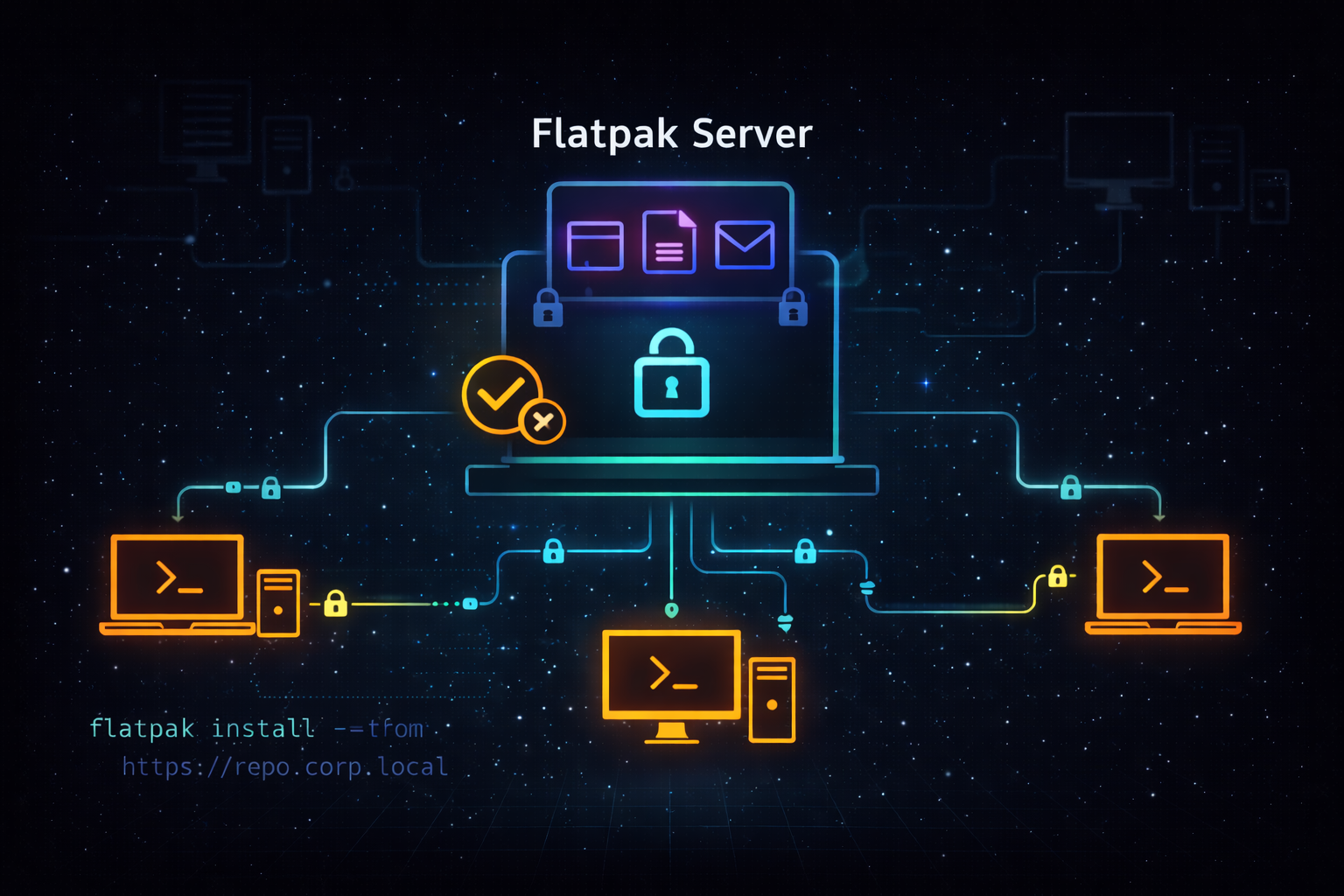
A local Flatpak repository gives organizations direct control over what applications are available to users. IT teams can decide which applications are approved, which versions are allowed, and who can access them.
These repositories can also be structured to support different roles. Developers, designers, and general office users don’t all need the same tools, and a local repository allows access to be tailored accordingly. Redundant Flatpak repository servers can be deployed as well, providing both resilience and consistency across multiple locations.
The end result is a balance between security and usability: users can install what they need, but only from trusted, approved sources.
Understanding a Flatpak Repository
Technically, a Flatpak repository is an OSTree-formatted repository that Flatpak clients query. It is typically exposed over HTTP or HTTPS, though file-based repositories are also possible. In this setup, HTTPS is used to ensure secure transport.
From the client’s perspective, the repository is used to list available applications and runtimes, resolve versions and updates, and download signed objects. Signing is critical here—it provides assurance that what users install is exactly what IT intended to publish.
Building the Internal Flatpak Repository
Rather than treating application distribution as an afterthought, the Flatpak repository becomes a first-class piece of infrastructure. Its job is simple: act as the single, trusted source for approved desktop software.
For this setup, a minimal Rocky Linux 9.7 server was deployed specifically for this purpose. Keeping the server minimal reduces its attack surface and makes it easier to reason about from a security perspective. Flatpak, OSTree, and Apache were installed, and a dedicated location was defined to store the repository content:
1
/var/flatpak/repo
This server now serves as the central distribution point for approved Flatpak applications—nothing reaches user desktops unless it passes through here.
Establishing Trust in the Repository
Once the storage location was in place, the repository itself was initialized as an OSTree repository. A collection ID (com.sebostechnology.Apps) was assigned to uniquely identify it within the Flatpak ecosystem.
Just as important, the repository was configured to use GPG signing. Every object published to the repository is signed, allowing client systems to verify both authenticity and integrity before installing or updating software. This creates a clear trust chain between IT and the desktop, and it removes ambiguity about where software came from or whether it has been altered.
Without this signing step, the repository would still function—but it would lack the guarantees that make it suitable for a corporate environment.
Exposing the Repository Securely
To make the repository available to client systems, Apache was configured to serve the content over HTTPS. A dedicated SSL certificate was created and applied, ensuring that all communication between desktops and the repository is encrypted in transit.
Rather than using a default port, Apache was configured to listen on port 8443. Access was further restricted using CIDR-based network rules, limiting connections to approved internal networks only. Once configured, the service was enabled and managed through systemd so it starts automatically and behaves like any other core infrastructure service.
SELinux as a Design Constraint, Not an Afterthought
SELinux was verified to be enabled on the server and temporarily set to permissive mode during initial testing. This allowed functionality to be validated without policy interference while still logging access decisions.
The repository content was labeled with the httpd_sys_content_t context so Apache could read and serve the files correctly. In a production deployment, this permissive setup would be tightened further—potentially with custom SELinux policy modules—once access patterns are fully understood.
The key point is that SELinux wasn’t disabled to “make things work.” It was treated as part of the design.
Network-Level Controls
At the firewall level, access to the repository was restricted even further. Only port 8443 was opened, and only for approved network ranges, using a rich rule. This ensures the service is reachable where it needs to be—and nowhere else. Once applied, the firewall configuration was reloaded to activate the changes.
This layered approach means that even if a service is misconfigured at one level, other controls remain in place.
Making It Easy for the Desktop Teams
After the server configuration was validated, attention shifted to the client side. To avoid manual setup on every workstation, a client configuration script was created and stored on the repository server. This allows development and desktop teams to quickly point new systems at the internal Flatpak repository using a consistent, repeatable process.
From the user’s perspective, nothing feels restrictive. Applications install normally. Updates arrive predictably. But behind the scenes, software distribution is now controlled, auditable, and aligned with corporate security expectations—without falling back into the old cycle of last-minute audit cleanup.
What This Solves in Real Life
Audit week panic No more uninstalling software just to reinstall it later. If it’s in the repo, it’s already approved.
“Where did this come from?” questions Every application has a clear source, version, and signature. No guessing, no finger-pointing.
Shadow IT installs When users have an easy, trusted place to get what they need, they stop downloading random tools from the internet.
Inconsistent desktops Everyone gets the same versions of the same applications, whether they’re in the office, remote, or in a different region.
Exception overload Different roles can have different tools without handing out local admin rights or creating one-off exceptions.
Support and troubleshooting noise When something breaks, IT knows exactly what’s installed and how it got there.
Closing the Loop: Control Without the Headaches
At the end of the day, most software problems on the desktop aren’t caused by bad intentions. They happen because people are just trying to get their work done. When there’s no clear, trusted way to get the tools they need, they’ll find their own way—and that’s usually where trouble starts.
An internal Flatpak repository changes that dynamic. Instead of playing defense during audits or chasing down exceptions after the fact, IT can put a simple, predictable process in place. Users install software the same way they always have, updates just show up, and nobody has to panic when an audit email lands in their inbox.
This approach also shifts the conversation inside IT. Rather than asking, “Why is this installed?” the question becomes, “Was this approved and published through the repo?” If the answer is yes, the discussion is already over.
And this is where things really start to come together. Flatpak solves how applications get onto the system. In the next article, we’ll look at OSTree and how it solves the other half of the problem—how the operating system itself is updated in a controlled, predictable, and low-drama way.
What’s Next
Over the next 3-6 months, I plan to build out this environment and document the process through a series of articles covering:
- Article 1: Introduction - Why this project matters and what Linux can offer businesses
- Article 2: Proxmox Virtualization Best Practices - Setting up a robust virtualization foundation
- Article 3: Making Linux Work as a Corporate Desktop
- Article 4: OS Updates on the Corporate Linux Desktop
- Article 5: Enterprise Desktop Update Lifecycle with Kinoite
- Article 6: Bringing Prometheus Monitoring to the Linux Corporate Desktop
- Articles 7-12: SMB Infrastructure Planning, Ansible Automation, Core Services (AD/File/Print), Desktop Environment, and Security Hardening
My goals are to:
- Help business owners understand that there are viable alternatives for securing their systems
- Highlight what Linux-based systems are capable of in real-world business environments
- Provide practical tools, configurations, and guidance for users who are new to Linux as well as experienced IT professionals
- Continue developing my own skills in Linux-based security and infrastructure design
Call to Action
Whether you’re evaluating alternatives to expensive licensing, building your first Linux infrastructure, or simply curious about enterprise security on open-source platforms—I’d love to hear from you.
If you are a business owner, system administrator, or IT professional interested in improving security without relying solely on expensive licensing and third-party tools, I invite you to follow along. Experiment with these ideas, ask questions, challenge assumptions, and share your experiences. Together, we can explore what a secure, Linux-based business environment can look like in practice.